Desktop application development
Native and cross-platform desktop apps for Windows, macOS and Linux, designed and engineered in Toronto, with signed installers and automatic updates.
- Platforms
- Windows · macOS · Linux
- Your code
- You own all of it
- Delivery
- Signed installers · automatic updates
- Studio
- Toronto · since 2010
What we build (7)
Desktop apps for all three systems, from the first build to the update channel.
-
Windows applications
Applications for Windows 10 and 11, delivered as a signed installer and able to update themselves.
-
macOS apps
Native Mac apps for Intel and Apple silicon, prepared for Mac App Store review.
-
Linux applications
Linux desktop applications packaged as .deb and AppImage, with updates through the system’s package manager.
-
Cross-platform desktop
One codebase that runs on more than one operating system, when sharing the code makes sense for the product.
-
Distribution and updates
Signed builds, installers, automatic updates and store review: the route a new version takes from our build to the people using it.
-
Desktop UI and UX
Interface design for windows, menus and keyboard use, so an application follows the conventions of the system it runs on.
-
Modernization
Bringing existing desktop apps up to date with current operating systems and a working update channel.
Client project · CopVPN Inc. (3)
CopVPN on the desktop: three systems, two codebases.
Built for CopVPN Inc. One Qt and C++ client runs on Windows and Linux; the Mac app is a separate Swift app on the Mac App Store.
- Your code
- You own all of it
- Status
- Released, version 3.6
-
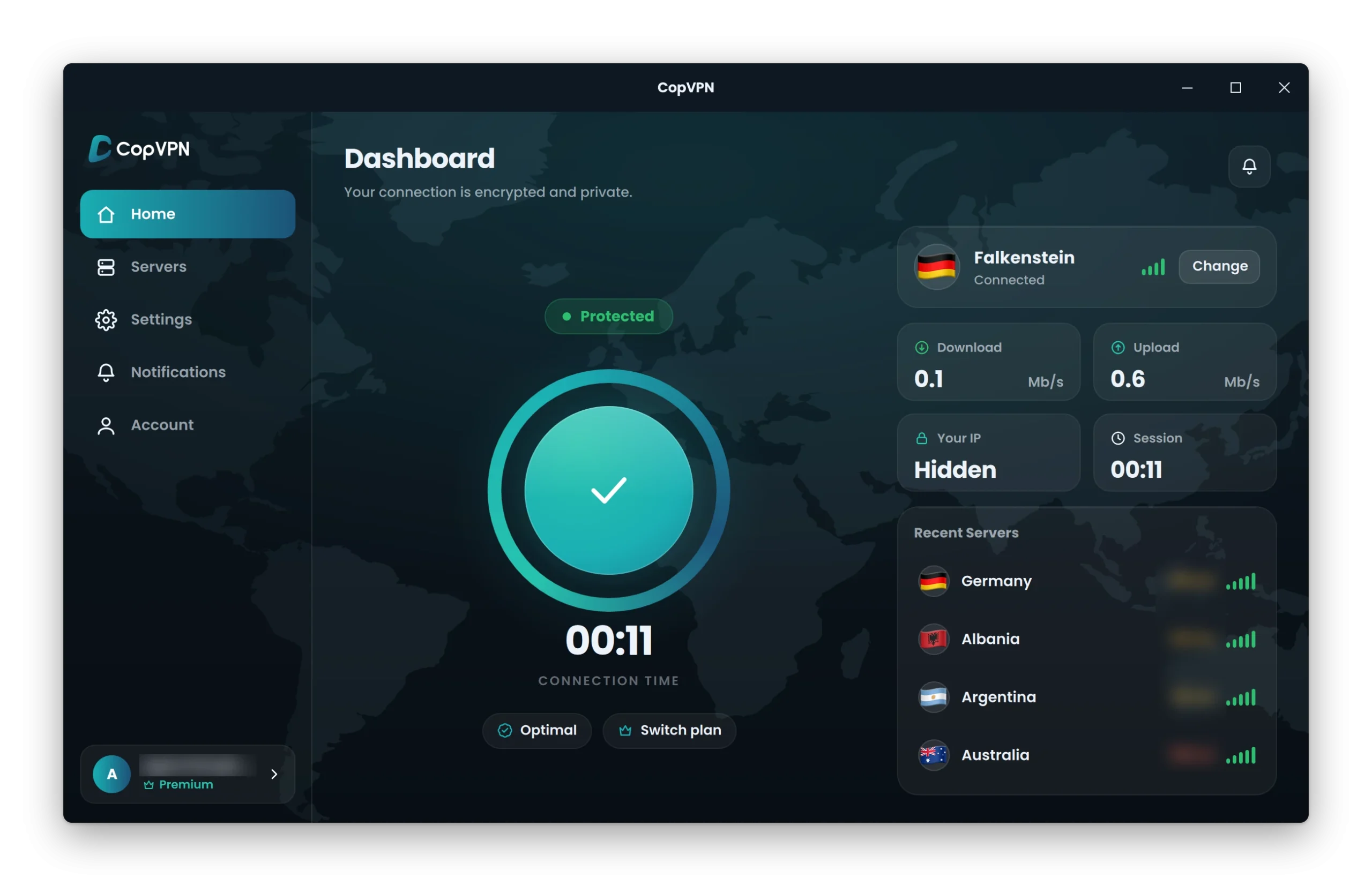
The Windows app, built in Qt and C++.
-
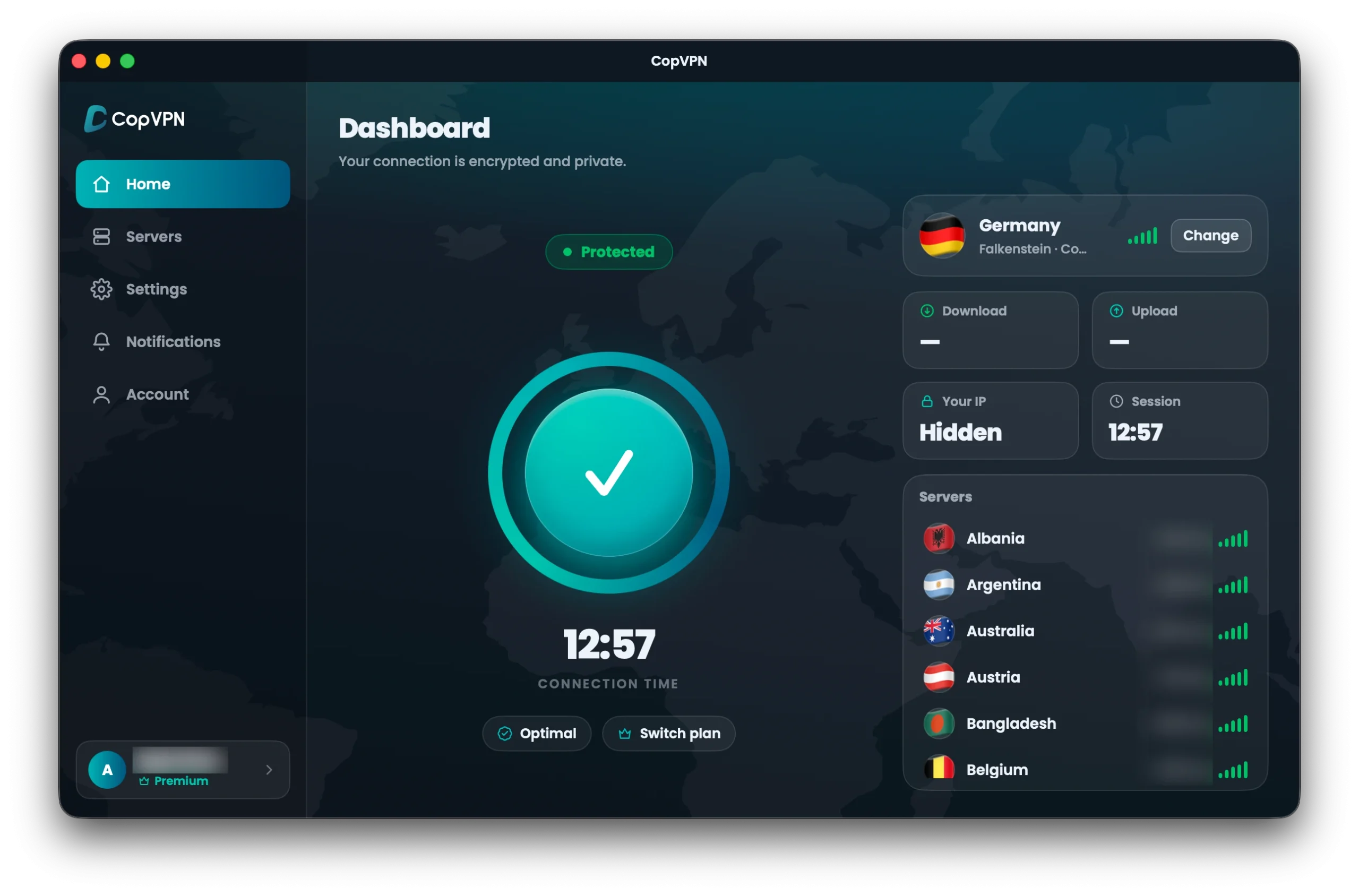
The Mac App Store app, built in Swift.
-
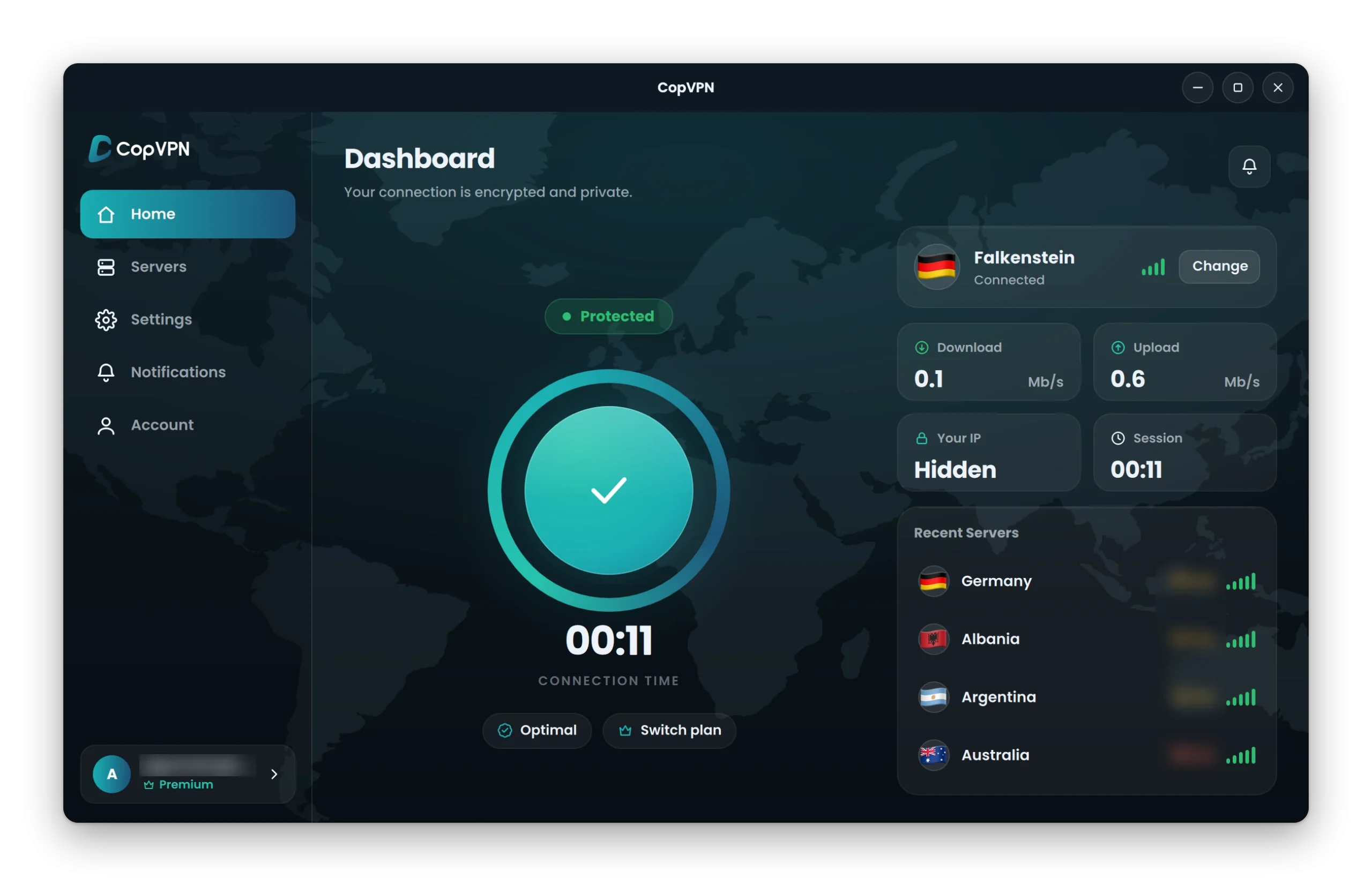
The Linux app, the same Qt and C++ client as Windows.
How a desktop project runs (4)
From the first sketch to every update after launch.
- 01
Design
Flows and interfaces for the desktop: windows that resize, menus and keyboard use on each operating system.
- 02
Engineer
Native code for each platform, or one codebase shared across systems when that suits the product.
- 03
Ship
Signed installers for Windows, .deb and AppImage packages for Linux, and review for the Mac App Store.
- 04
Maintain
Updates through the app's own updater, the system's package manager or the store, plus operating system upgrades and new features.
Questions (6)
What people ask before a desktop project.
Which desktop platforms do you build for?
Windows, macOS and Linux. Our shipped desktop work covers Windows 10 and 11, the Mac on both Intel and Apple silicon, and 64-bit Linux.
Native or cross-platform: which do you recommend?
It depends on the product. For CopVPN, a client project, we did both: one Qt and C++ client for Windows and Linux, and a separate Swift app for the Mac App Store. One shared codebase makes sense when the application should be the same on several systems; a native app makes sense when it has to follow one platform’s store and conventions closely.
How are desktop apps distributed?
By the channel that suits each system: a signed installer downloaded from your own website on Windows, .deb or AppImage packages on Linux, and the Mac App Store, which includes Apple’s review.
How do the apps get their updates?
Through the channel they were installed from. In our shipped work, the Windows client updates itself, the Linux client updates through apt, and the Mac app updates through the Mac App Store.
Do you look after the application after launch?
Yes. Maintain is the fourth stage of every project: updates, operating system upgrades and new features.
Can the desktop app share an account with our mobile app or website?
Yes. We also build mobile apps and the web apps and APIs behind them. CopVPN, a client project, uses one account across all of its apps.
Tell us what you're building.
Start a project
- support@iexperto.io
- Studio
- 50 Carroll St
Toronto, Ontario M4M 3G3
Canada - Studio time
- Since
- 2010