Mobile app development in Toronto
Native iPhone, iPad and Android apps, including Android TV, with accounts and subscriptions built in. Designed, engineered and shipped by one team in Toronto.
- Platforms
- iPhone · iPad · Android · Android TV
- Your code
- You own all of it
- Stores
- App Store · Google Play
- Studio
- Toronto · since 2010
What we build (6)
Native apps, and everything an app needs around it.
-
iPhone and iPad apps
Native apps for iOS and iPadOS, released through the App Store.
-
Android and Android TV apps
Native Android apps for phones, tablets and Android TV, released through Google Play.
-
App design
Flows and interfaces for every screen size the app runs on, from a phone in the hand to a television across the room.
-
Accounts, subscriptions and APIs
The parts behind the screen: sign-in, App Store and Google Play billing, and one account that works in every app.
-
Native or cross-platform
The apps we have released are native. If you are weighing native against a cross-platform approach, we talk that choice through with you before any code is written.
-
Maintenance and modernization
Updates, OS upgrades and new features after launch, and work on apps that already exist.
Client project · CopVPN Inc. (4)
CopVPN, on iPhone, iPad, Android and Android TV.
One VPN service, designed and engineered for CopVPN Inc. Four mobile screens, one account and one design on all of them.
- Your code
- You own all of it
- Status
- Released, version 3.6
-
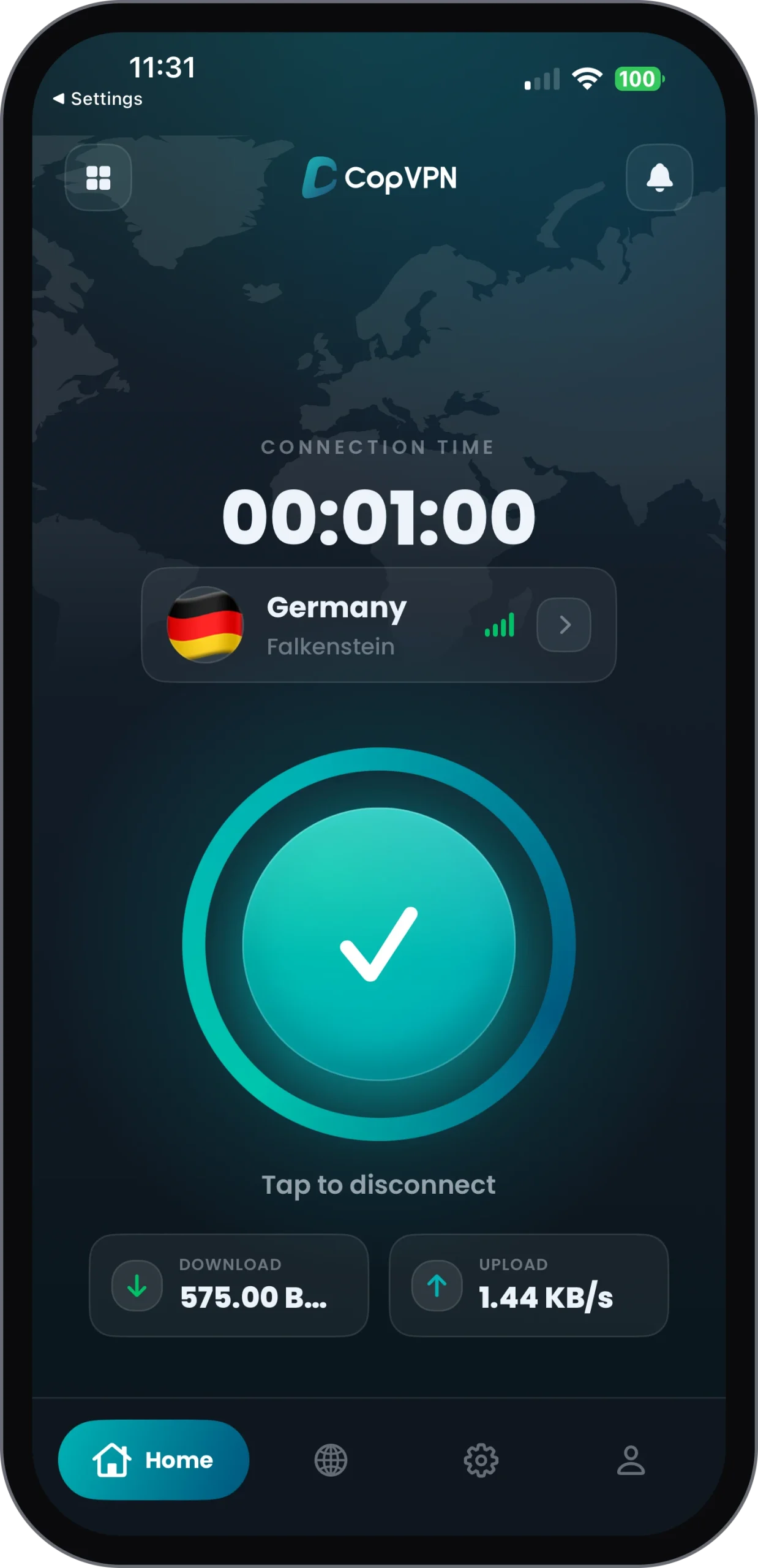
The iPhone app, built in Swift.
-
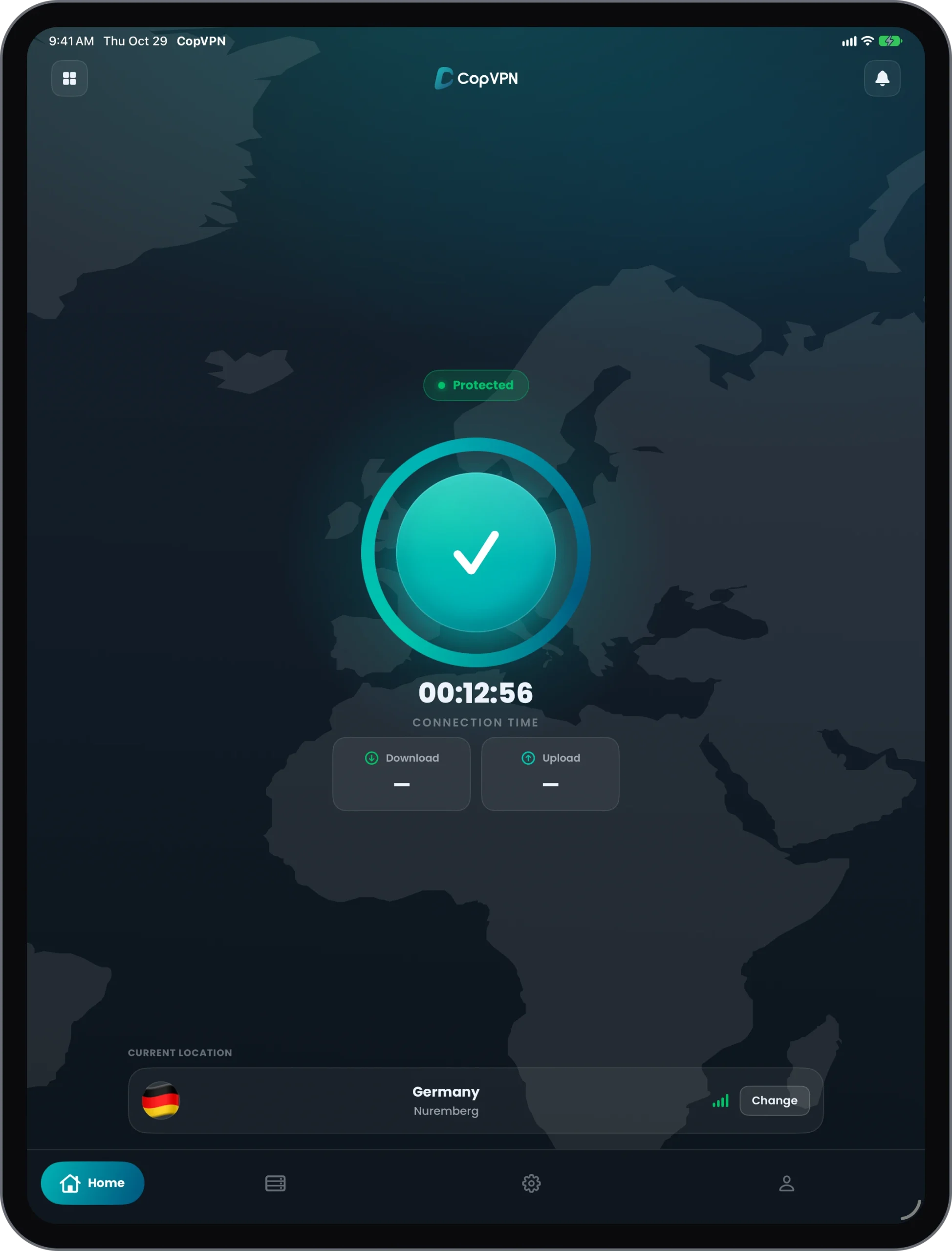
The iPad app, built in Swift.
-
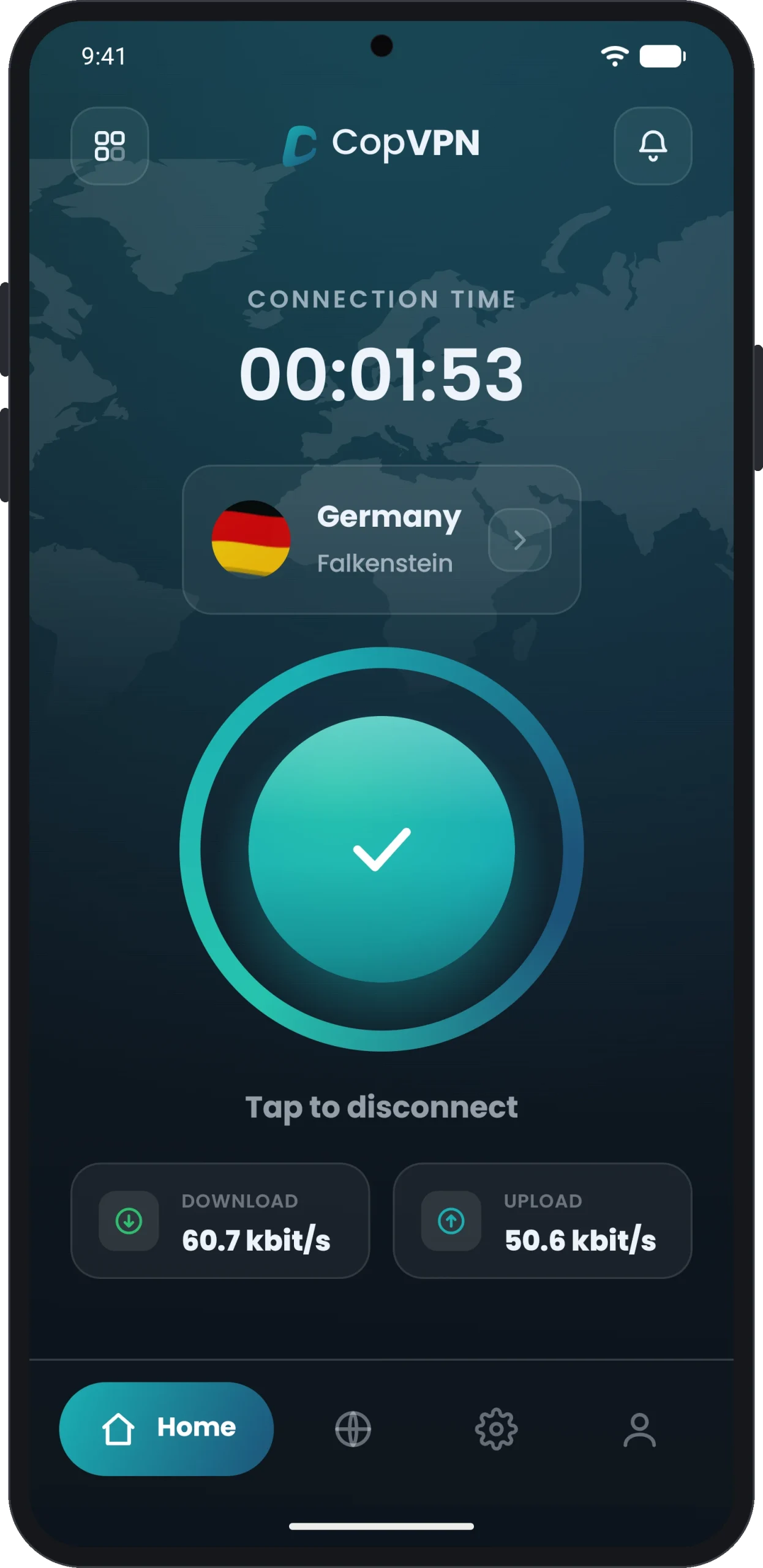
The Android app, built in Kotlin.
-
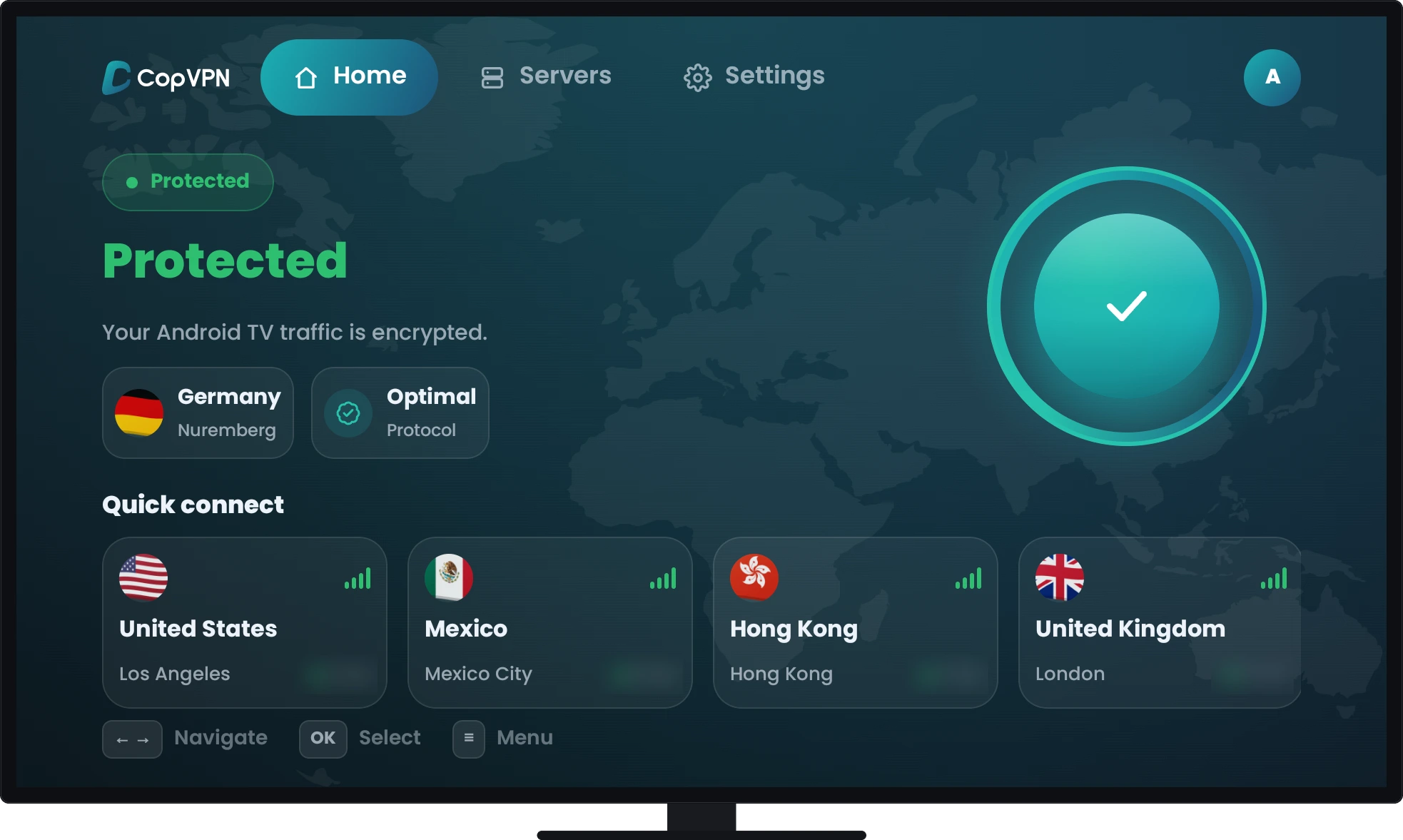
The Android TV app, built in Kotlin.
How a mobile project runs (4)
From the first sketch to every update after launch.
- 01
Design
Flows and interfaces for every screen size the app will run on: phone, tablet and television.
- 02
Engineer
Native code for iPhone, iPad, Android and Android TV, with accounts and subscriptions built in.
- 03
Ship
Release through the App Store and Google Play, store review included, then launch.
- 04
Maintain
Updates, OS upgrades and new features, for as long as the app is in the stores.
Questions (7)
What people ask before an app project.
Which platforms do you build mobile apps for?
iPhone, iPad, Android phones and tablets, and Android TV.
Do you build native or cross-platform apps?
The apps we have released are native: Swift for iPhone and iPad, Kotlin for Android and Android TV. If you are weighing native against a cross-platform approach, we talk that choice through with you before any code is written.
Can you build the accounts and subscriptions as well?
Yes. Our mobile apps come with accounts and subscriptions built in: sign-in, App Store and Google Play billing, and one account that works in every app. The servers and APIs behind them are part of our web app work.
Do you handle the App Store and Google Play release?
Yes. Shipping is one of the four stages of every project: the App Store, Google Play and the launch itself.
Do you look after the app after launch?
Yes. Maintenance covers updates, OS upgrades and new features.
Is there a released app we can look at?
Yes. CopVPN is a client project we built for CopVPN Inc. It is released, at version 3.6, on the App Store and Google Play, for iPhone, iPad, Android and Android TV. Read the case study.
Do you build for other screens too?
Yes. The same team builds desktop apps for Windows, macOS and Linux, websites and web apps.
Tell us what you're building.
Start a project
- support@iexperto.io
- Studio
- 50 Carroll St
Toronto, Ontario M4M 3G3
Canada - Studio time
- Since
- 2010